
Sim Companies Helper
Quality of life improvements for your business empire.
Stay on top of your game with real-time profit tracking, retail assistance, and production analysis. This extension integrates seamlessly into Sim Companies to help you make smarter decisions.
Overview
Watch this quick overview to learn about the extension's features:
Installation of early releases
- Download the latest
.ziprelease. - Go to
chrome://extensionsin your browser. - Enable Developer Mode at the top right.
- Drag and drop the zip file or click Load Unpacked.
Features in Action
Warehouse Price Comparison
Tired of manually checking market prices for every inventory item? The warehouse helper adds a "market price" button directly on your inventory page. Click any button to instantly see the market price compared to your sourcing cost. Products with higher quality get smarter price matching—the extension finds exact quality matches first, then falls back to the closest available quality if needed. All calculations use your weighted average quality across units, ensuring accurate comparisons for mixed-quality inventory.
Smart Retail Analysis
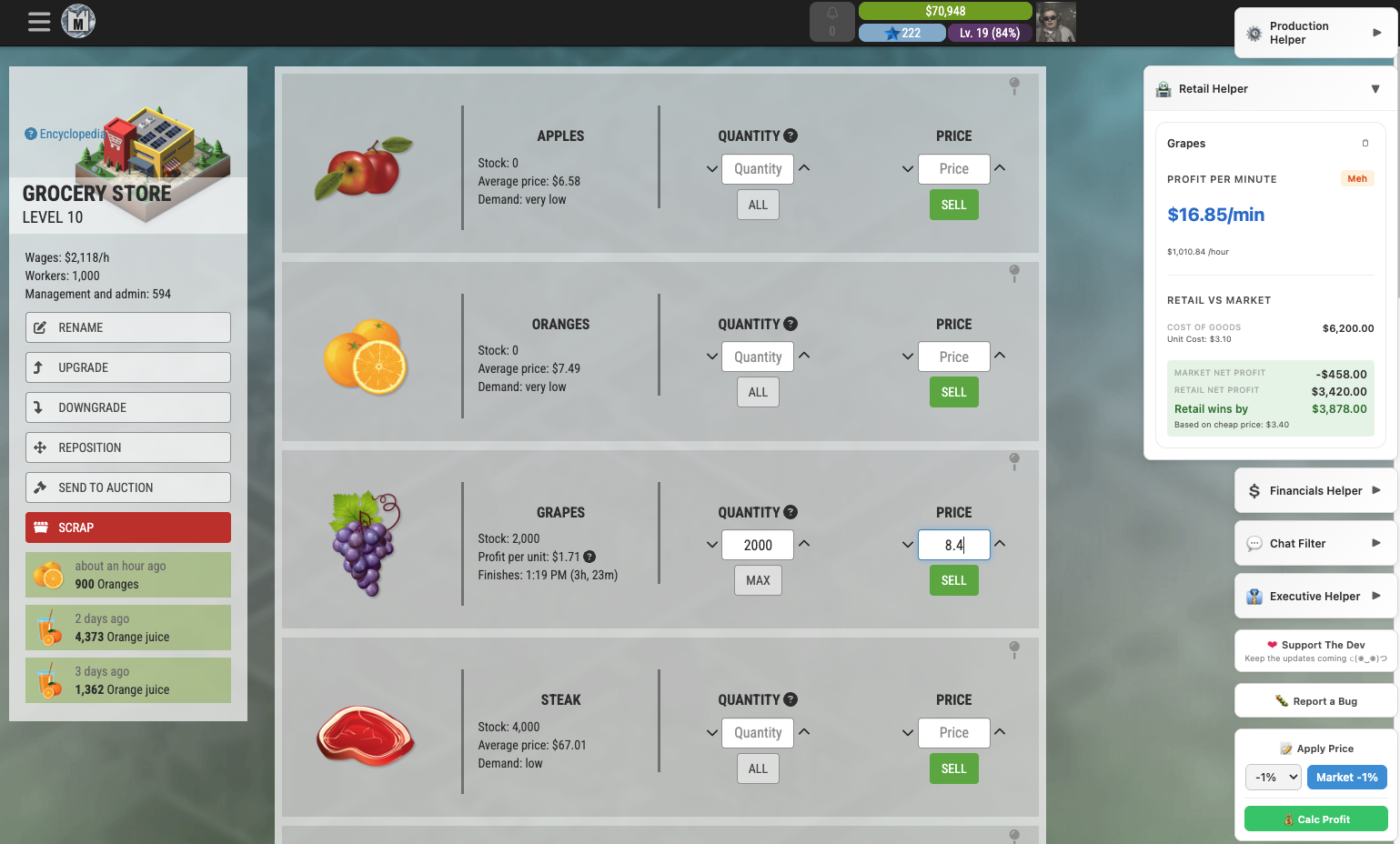
Maximize your retail profits with instant Profit Per Minute (PPM) calculations for each item. The extension analyzes your selling price against market costs, accounting for transport expenses automatically. Color-coded indicators show at a glance which products are most profitable (green = great margins, red = consider adjusting prices). No more guesswork— just pure profit analysis built right into your retail dashboard.
Production Optimization
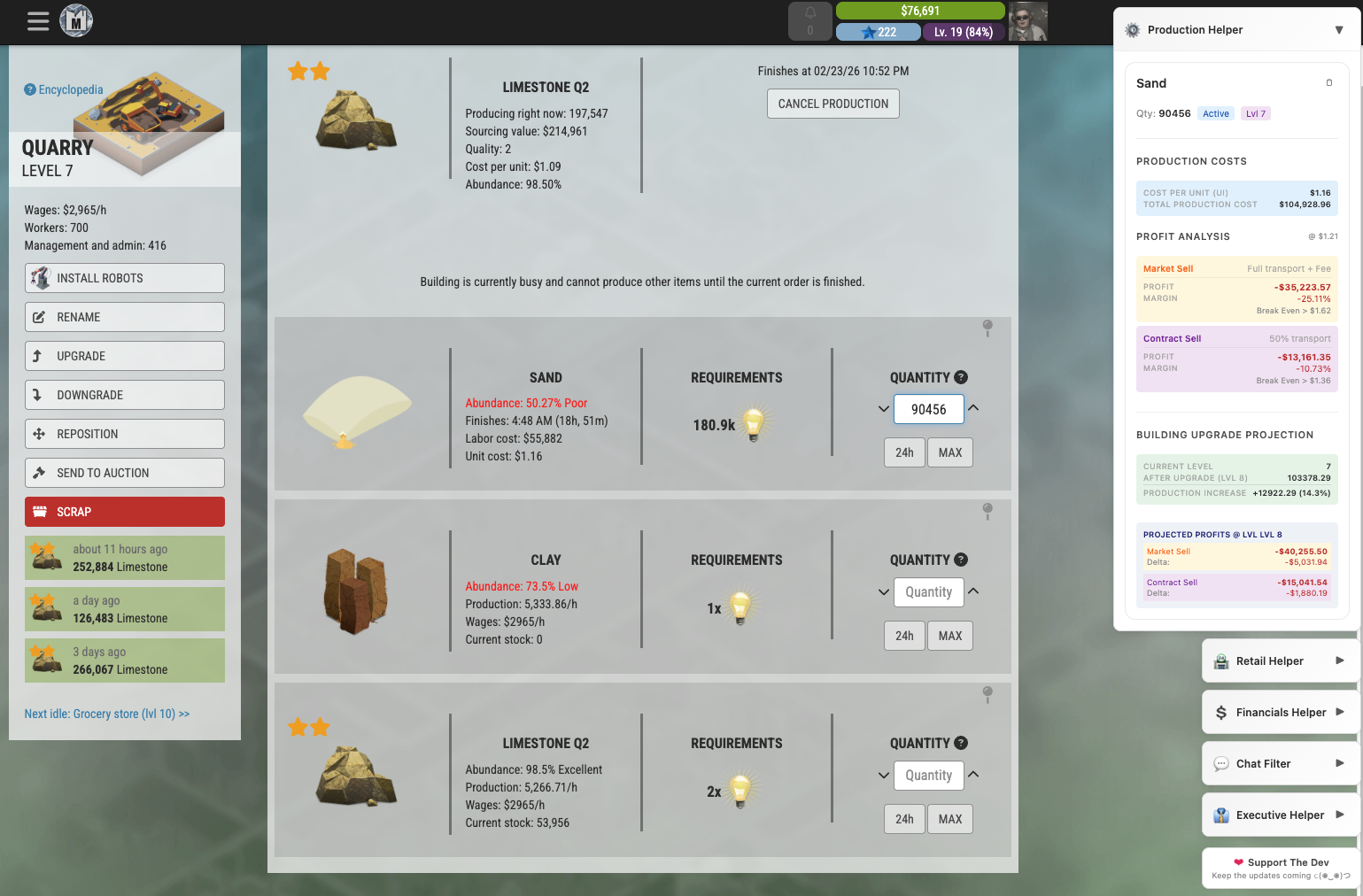
Maximize manufacturing profitability with instant cost analysis. The extension calculates total production costs by analyzing ingredient prices, production modifiers, and labor efficiency. See detailed breakdowns per unit and batch quantities to make informed production decisions. Compare costs across different scenarios and optimize your production chain for maximum profit margins.
Contract Assistant
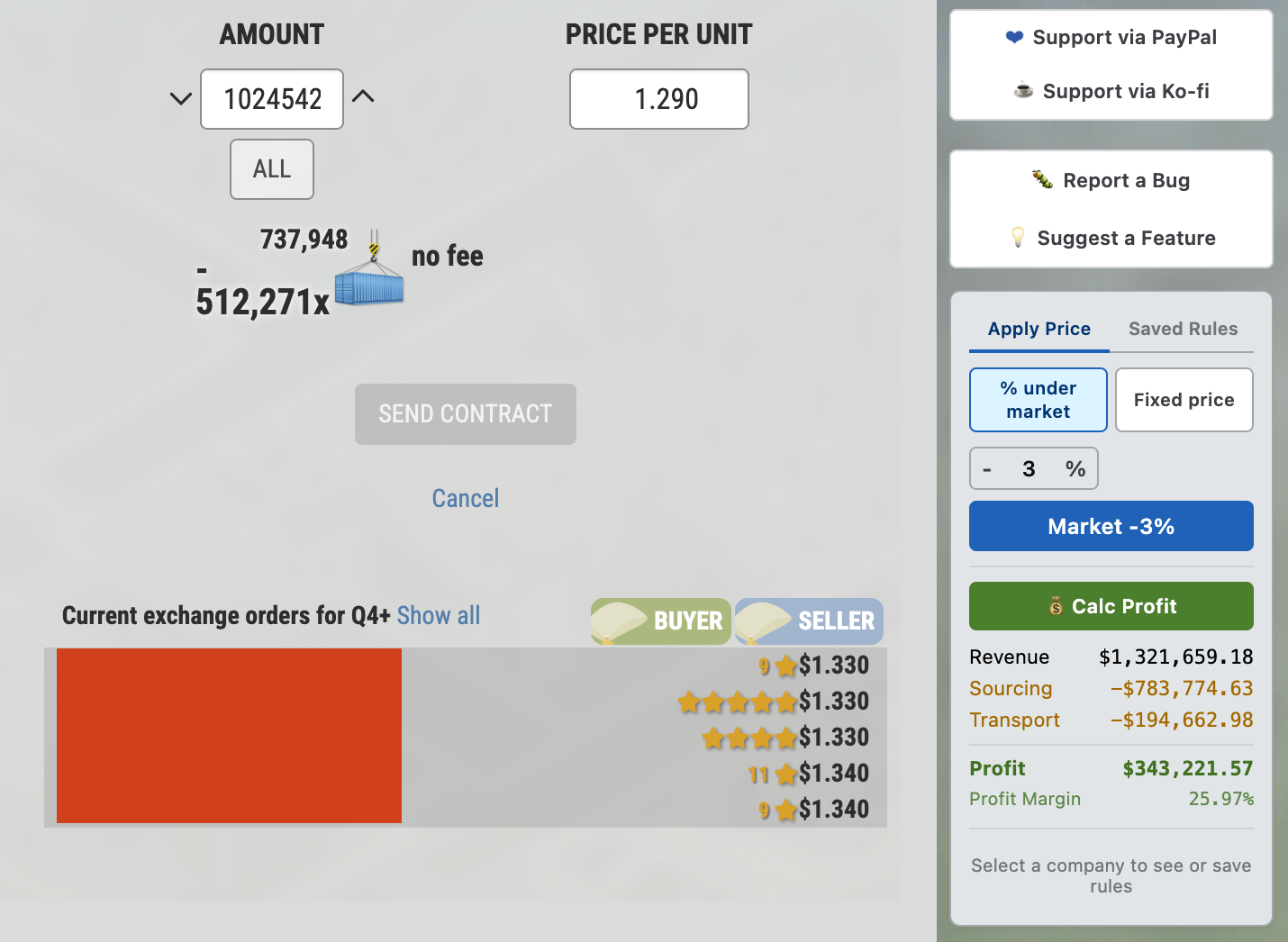
Evaluate contract opportunities with confidence. When sending custom contracts, the assistant calculates profit margins instantly and compares against market sale profitability. Set your desired discount percentage and automatically populate competitive pricing. Never send an unprofitable contract again—every deal is backed by numbers.
Sending the same contract to the same customer every day? Save it as a rule (quantity, discount and an optional note) for that product and company. Next time, one click on Apply fills in the quantity and a freshly recalculated price. Rules follow you across devices when Chrome sync is on.
Financials Dashboard
Know exactly where your money is going. Switch between Current, Day and Week views to see key numbers at a glance, a profit & loss breakdown, cash movement, ratios and what drives them, recent transactions, your sales mix, inventory and production value, and workforce cost. Built-in alerts point out what needs attention, so you can spot trends and plan ahead.
Executive Skill Breakdown
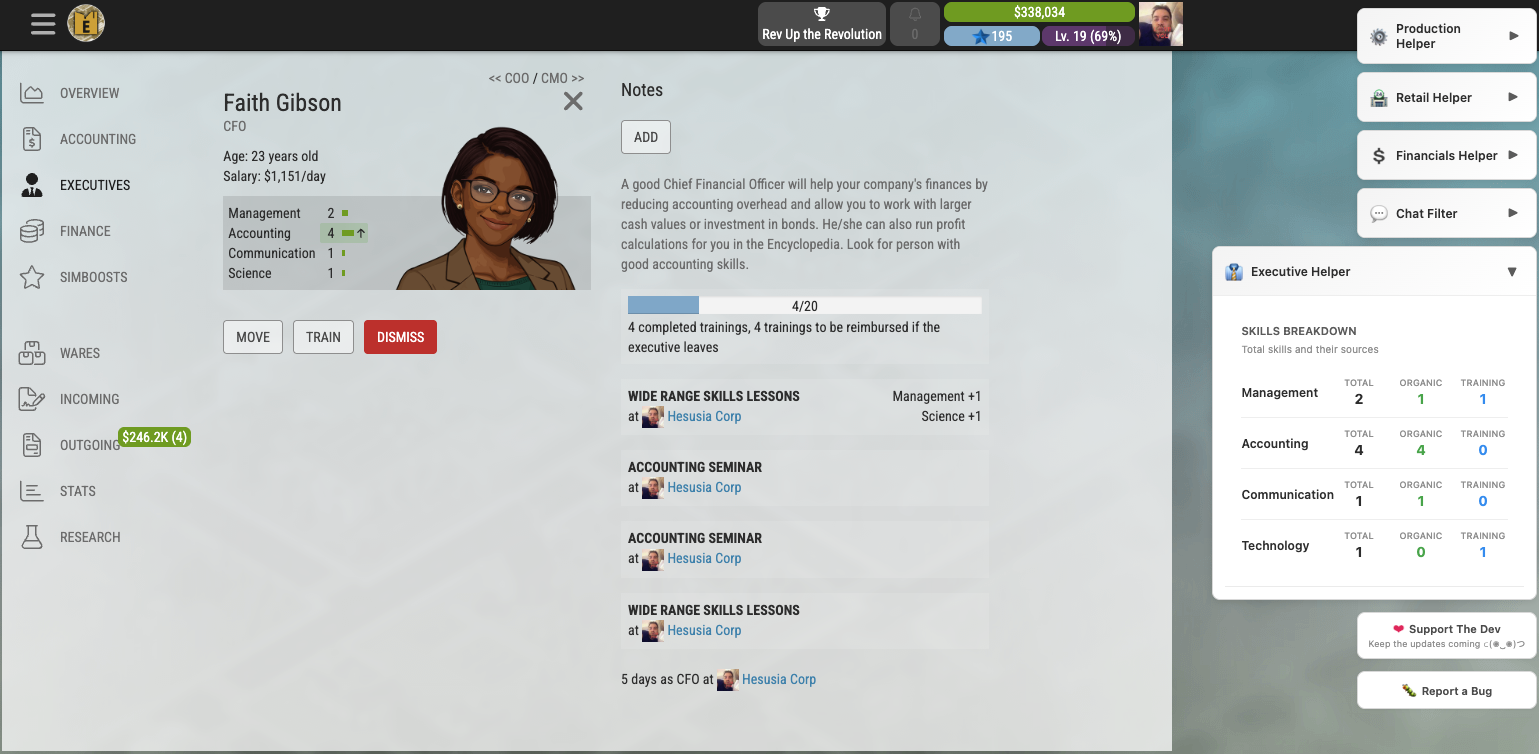
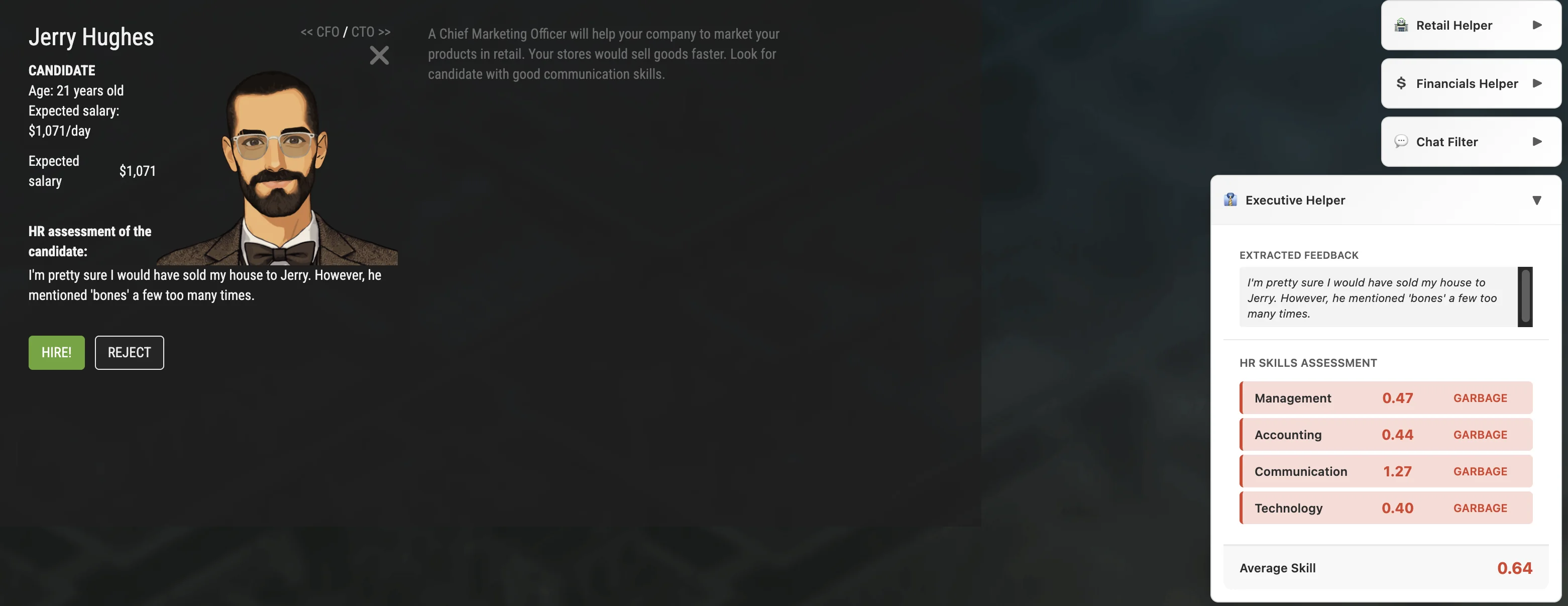
Get detailed insights into executive candidate capabilities. The extension analyzes each candidate's skills with comprehensive breakdown showing organic skill levels versus training potential. Understand which competencies are naturally high and which can be developed through training to make informed recruitment decisions. A daily organic-growth timer also shows which of your executives are eligible to grow, labeled by role.
Hiring and HR Feedback
Match HR feedback against expert profiles to understand true growth potential. The tool compares candidate assessments and performance indicators against industry benchmarks, helping you identify high-potential hires and predict long-term value. Make strategic recruitment decisions backed by data-driven insights about each candidate's trajectory.
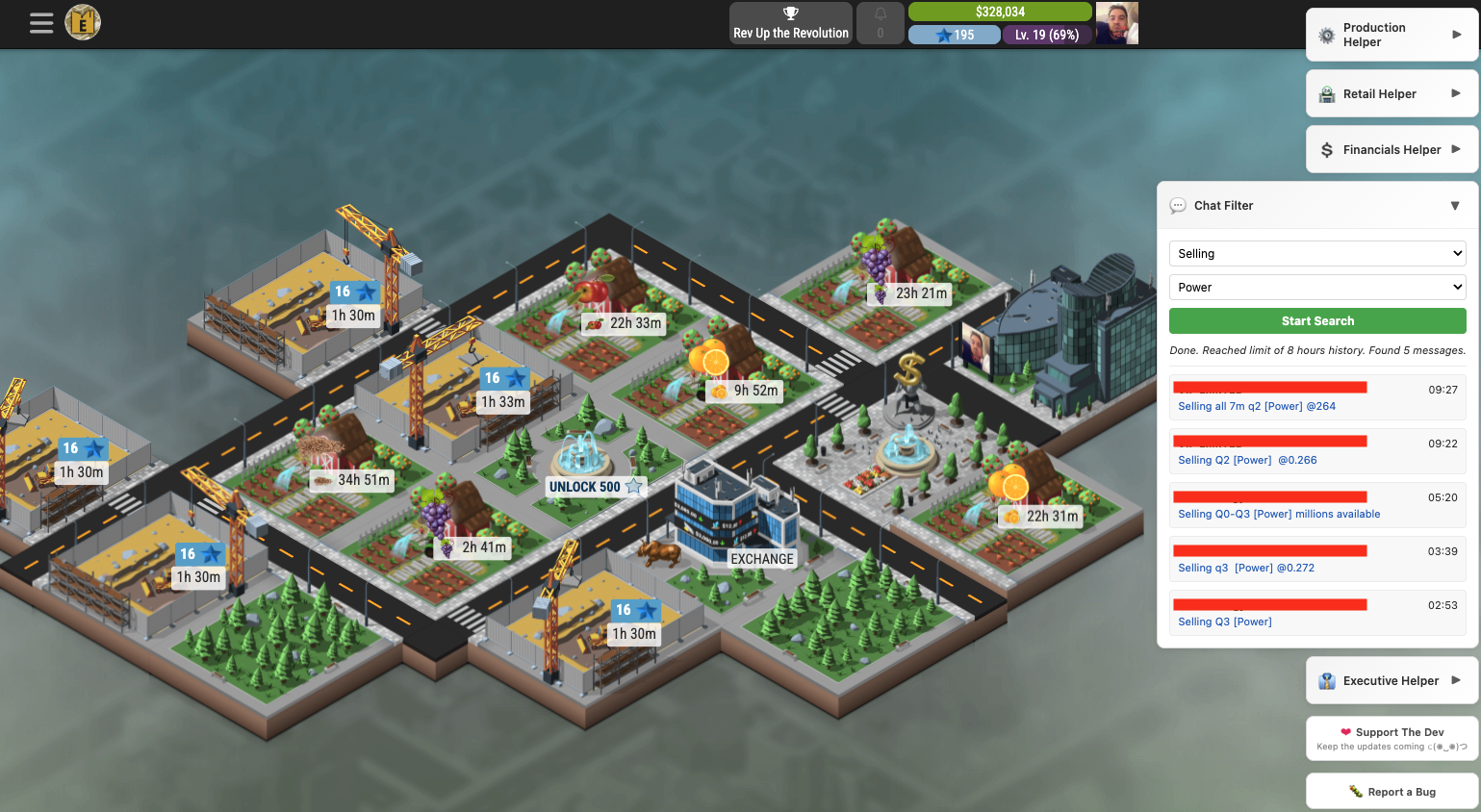
Chat Search & Alerts
Finding the right trade partner in chat shouldn't be like finding a needle in a haystack. Filter the sales chat for specific products and quality to quickly identify who's buying or selling what you need, across the chat rooms you have joined. Perfect for negotiating bulk deals or finding niche buyers for your premium products.
Don't want to keep watching the chat? Set up to two chat alerts with any words you care about, and the extension tells you when a matching message shows up in the rooms you picked.
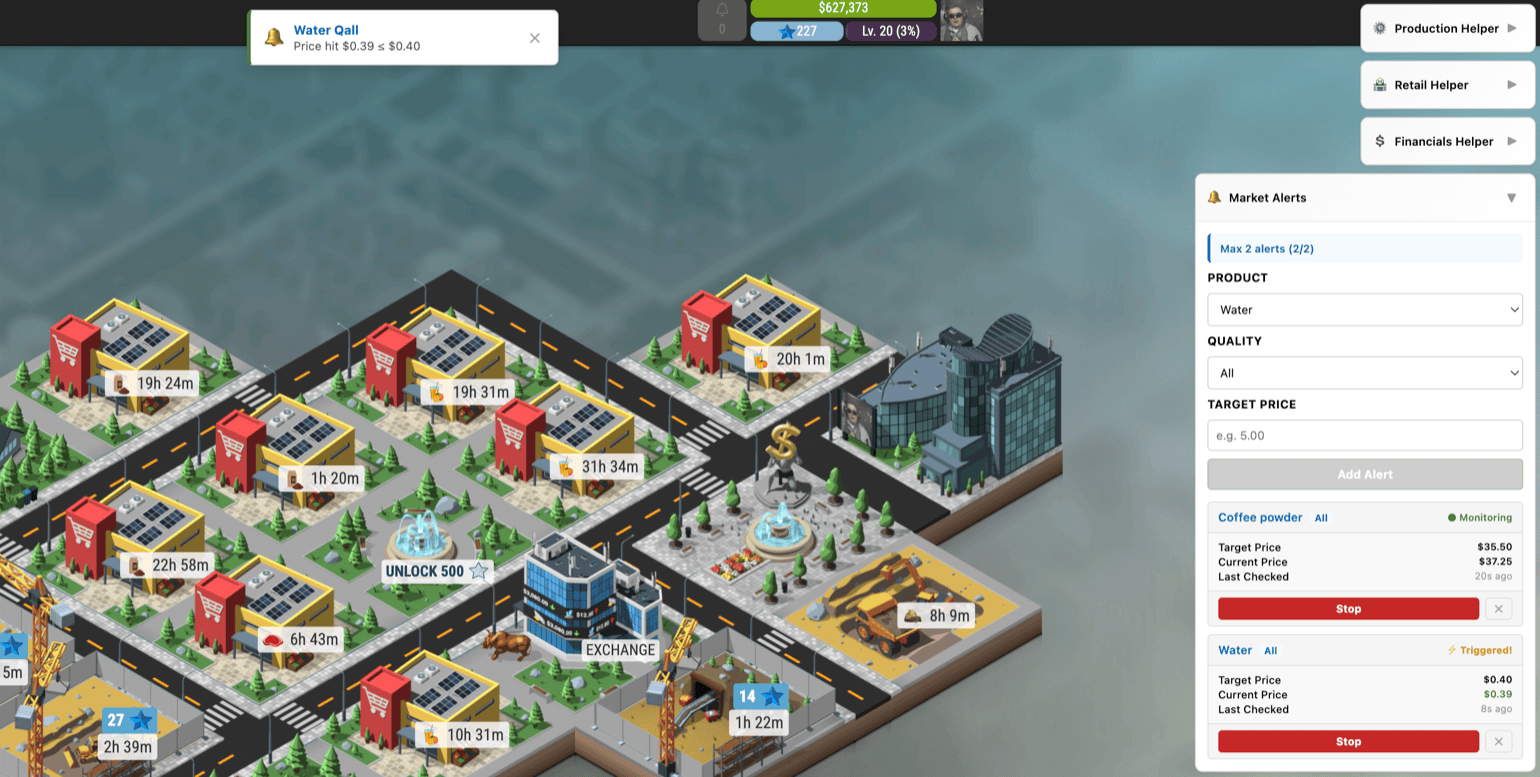
Market Price Alerts
Never miss a deal again. Set target prices for any product and quality level, and the extension will monitor the market in the background. When prices drop to or below your target, a notification pops up inside the game so you can act fast. Track up to two alerts at a time—each one shows the target price, current market price, and when it was last checked. Whether you're waiting for cheap raw materials or hunting for bargain supplies, Market Alerts keeps you informed without constantly refreshing the marketplace.
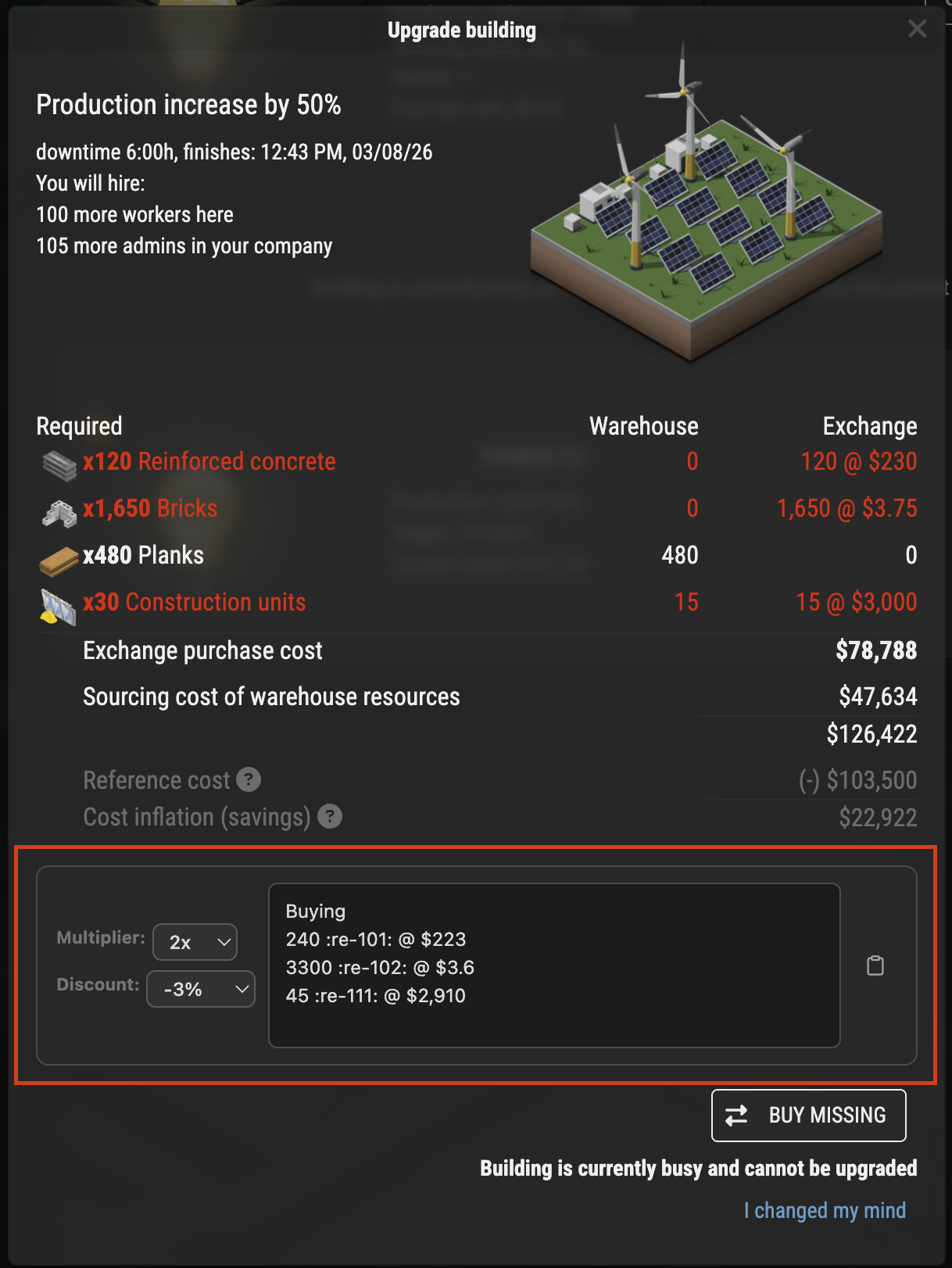
Building Upgrade Buy Message Generator
Streamline your building upgrade procurement process. This widget generates professional buy messages for materials needed in building upgrades—extract content directly from the upgrade page with no extra API calls required. Simply set your desired discount percentage for materials and the extension generates a complete, ready-to-send purchase message with discounted pricing. Perfect for bulk procurement negotiations and keeping upgrade timelines on track.
XP Estimate
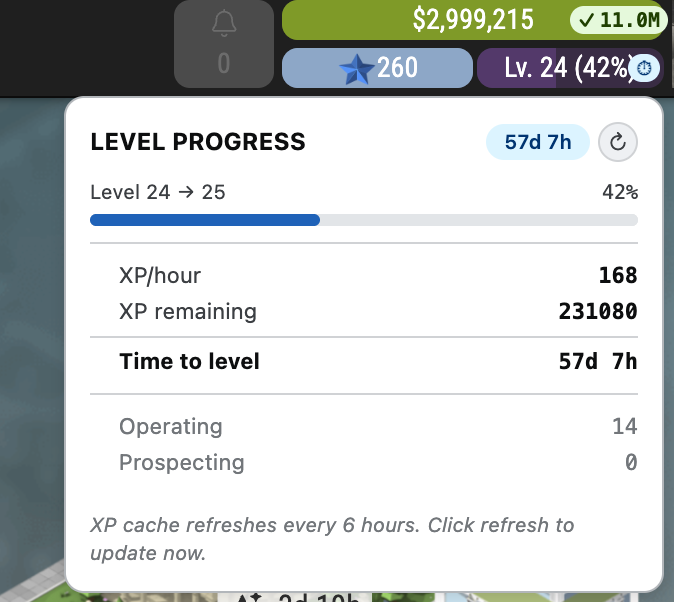
How long until your next level? A small chip next to the level bar at the top of the game shows your XP per hour. Click it for the details: XP still needed, estimated time to the next level, and how much comes from operating versus prospecting buildings. Data refreshes every 6 hours, or on demand with the refresh button.
Accounting Overhead
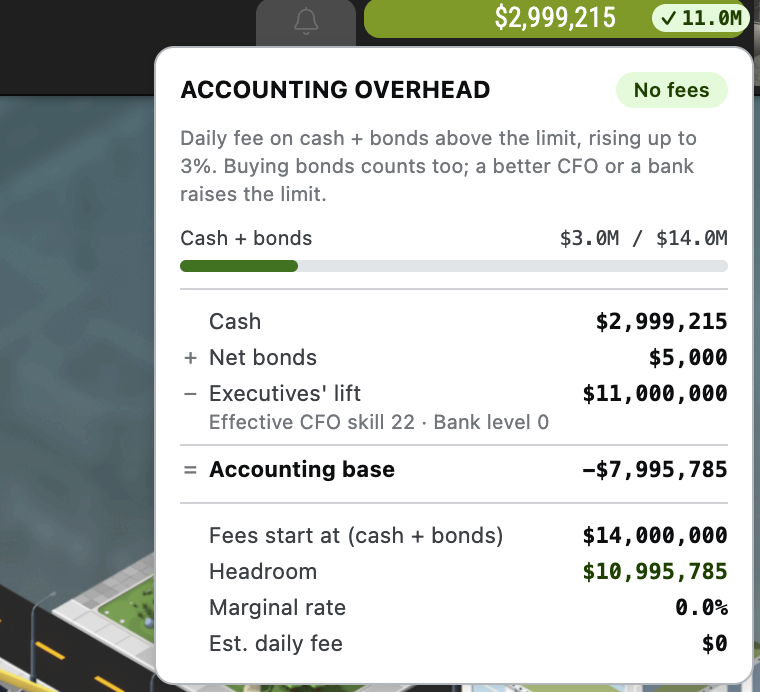
Holding a lot of cash comes with accounting fees. A chip next to your cash at the top of the game shows a ✓ with how much room you have left before fees start, or a ⚠ with the estimated daily fee once you go over the limit. Click it to see how the limit is worked out (cash, net bonds, your executives, CFO skill and bank level).
Accessibility
The extension's own panels are built to be easy to read for everyone: strong text contrast, a visible focus ring for keyboard users, labels for screen readers on every icon button, and no animations when your system asks for reduced motion.
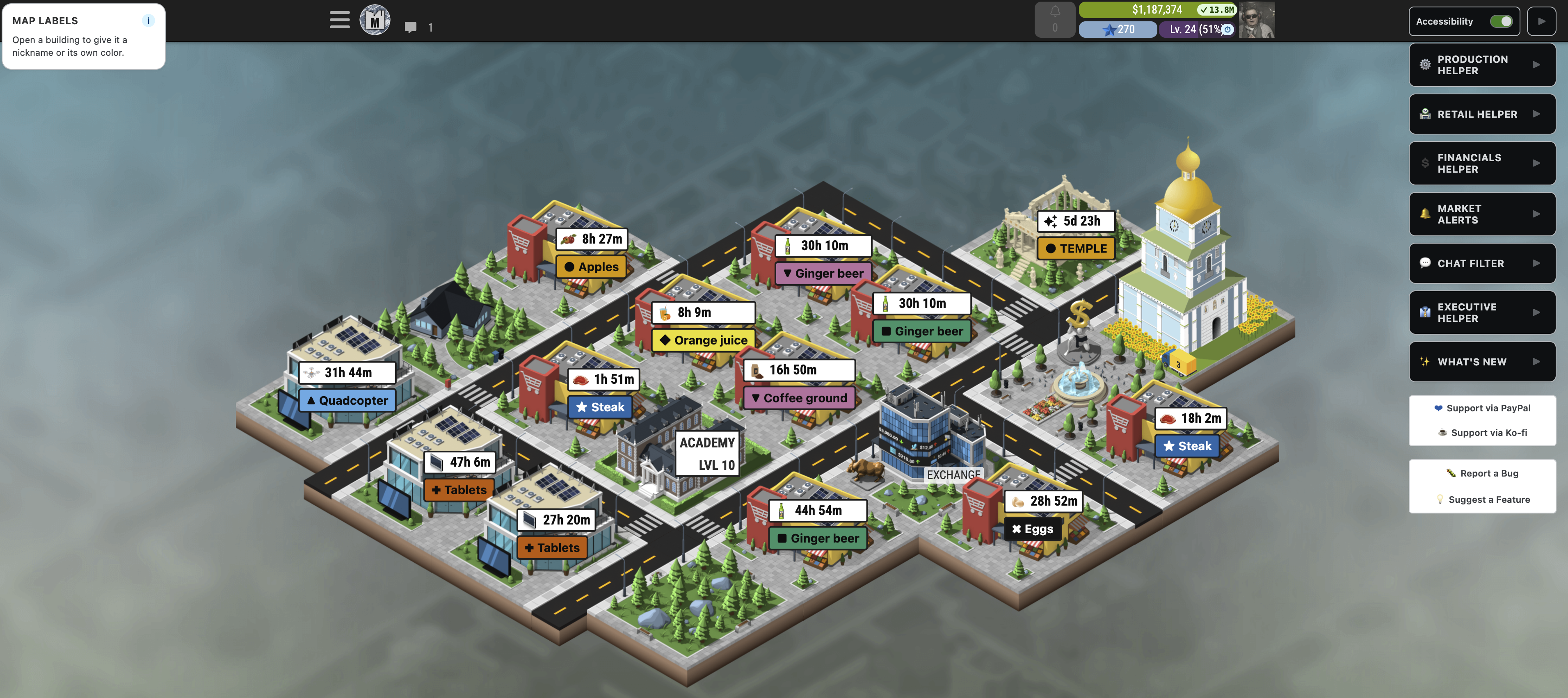
Turn on the Accessibility switch at the top of the sidebar for more help inside the game itself:
- Map labels – every building gets a large label with the product it makes or sells, plus a color and a shape. Buildings working on the same product share a color, and the shape repeats the color, so you never need to tell colors apart. The colors come from a colorblind-safe palette.
- Idle buildings stand out – an idle building keeps its usual color and shows a clear IDLE badge with a dashed frame.
- Your own labels – open any building to give it a nickname and pick its own color in the Map labels panel on the left. The ⓘ icon there explains how labels work.
- High contrast production screens – solid backgrounds, dark text, thick borders and product names that are no longer covered by their pictures. This also turns on by itself when your computer is set to high contrast, even with the switch off.
Privacy & Security
Your data stays with you. The Sim Companies Helper extension doesn't send any data to our servers (there are none) or collect usage information. Saved contract rules and the Accessibility switch use Chrome sync, so they follow your own Google account. We only access the data you see in Sim Companies to provide instant insights. No tracking, no analytics, no surprises—just pure functionality.
